
This guide explains how to use the Sony MCX-500 portable switcher to stream live to Doubu (Mudu) Live using version 2.0 features.
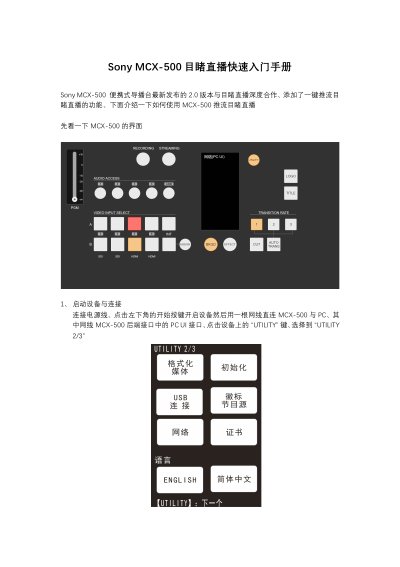
This document is a quick start guide for the Sony MCX-500 portable switcher, specifically detailing the setup for streaming to the Doubu (Mudu) Live platform using the device's version 2.0 firmware. It covers the initial device startup, connecting to a PC for configuration, and setting up network and streaming parameters. This manual is written in Chinese.
Connect the device to a PC using a network cable plugged into the PC UI interface on the rear of the MCX-500.
Select the 'Direct Connection' (直连) mode in the network settings to use the network cable for direct PC access.
Select the configuration document labeled 'Doubu Live' and enter the streaming URL and stream name provided by the Doubu backend.