
User guide for the Smok Mag 225W vaping device covering features, settings, modes, battery installation, and top-fill system.
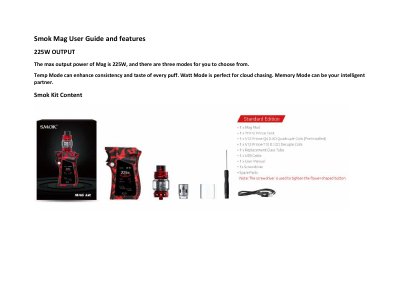
The Smok Mag 225W is a high-power vaping mod with a maximum output of 225W and three selectable modes: VW, TC (Ti, Ni, SS), and Memory. It features a high-definition TFT screen that displays vaping data such as mode, voltage, battery life, and resistance.
The guide explains the menu system accessed by three clicks on the fire bar, including mode setting, puff counter, screen settings, and power off. It also details battery installation, device locking, and a top rotary refill system with a leak-proof slot. The EU version includes a 2ml tank.
| Maximum Output Power | 225W |
|---|---|
| Vaping Modes | VW, TC (Ti, Ni, SS), Memory |
| Display | High-definition TFT screen |
| Refill System | Top rotary refill with leak-proof slot |
| Tank Capacity (EU) | 2ml |
The Smok Mag has a maximum output power of 225W.
The device offers three modes: VW mode, TC mode (with Ti, Ni, SS), and Memory mode.
From the home screen, click the fire bar three times, navigate to Screen Setting, use the adjustment buttons to select a color, then hold the fire bar for one second to confirm.
The EU version comes with a 2ml tank.