
User guide for the Smok Mag 225W vape mod, covering its three modes, settings menu, TFT screen, battery installation and top refill system.
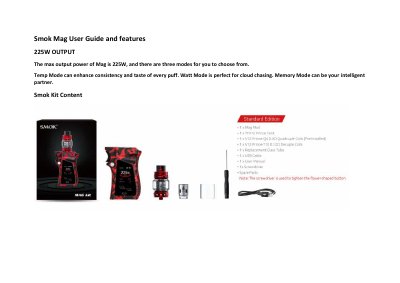
This user guide covers the Smok Mag vape mod and its 225W maximum output. It explains the three available modes and describes the settings menu, including the four main menus, menu navigation and the one-second hold used to select an option. It also covers the Smok Mag components, battery installation, locking and the top rotary refill system.
The guide describes the high-definition TFT screen and the vape data it can show, such as VW/TC mode, vaping effect, voltage, battery life and resistance value. It lists the three modes as VW, TC (Ti, Ni, SS) and MEMORY, and notes that the EU version has a 2ml tank.
| Max output power | 225W |
|---|---|
| Available modes | VW, TC (Ti, Ni, SS), MEMORY |
| Display | High-definition TFT screen |
| Tank capacity (EU) | 2ml |
Click the fire bar three times to enter the settings menu.
Hold down the fire key for one second.
The listed modes are VW, TC (Ti, Ni, SS) and MEMORY.
The maximum output power is 225W.