
This manual provides installation, configuration, and usage instructions for the Smart Life WiFi Smart Water Valve, including water flow monitoring and…
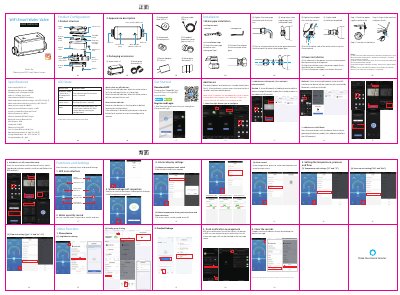
This document is the user manual for the Smart Life WiFi Smart Water Valve. It details the product's functions, including water quantity recording, leakage self-inspection, and alarm settings for temperature, pressure, and flow. The guide covers device registration via Bluetooth, Wi-Fi, or AP compatible modes, as well as family group sharing and push notification management. This manual is written in Chinese.
| Power supply | DC 5V / 2A |
|---|---|
| Maximum working current | 800mA |
| Standby power consumption | 0.3W |
| Water temperature detection range | -10~65℃ |
| Water pressure range | 0~200 PSI |
| Wireless frequency | 2.4GHz |
| Waterproof level | IPX7 |
| Operating temperature | 0 ~ 50℃ |
| Size | L19.5cmx D7.8cm x H10.17cm |
Activate Bluetooth in the mobile phone to add the device through Bluetooth mode.
The device only supports the 2.4GHz Wi-Fi signal.
Press the reset key to check for leakage; if detected, it will be reported immediately.
The valve diameter is DN20 3/4 inch pipe.