
This manual provides instructions for setting up the Smart Life Power Plug using the Smart Life app, including network configuration and feature usage.
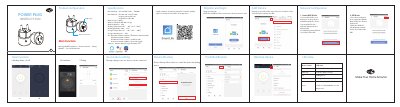
This document serves as a user guide for the Smart Life Power Plug. It details the steps for downloading the Smart Life app on Android and iPhone, registering an account, and adding the device to the network. The guide covers two specific network configuration modes: Smart WiFi mode and AP mode, explaining the reset button procedures and app actions required for each.
| Rated Voltage | AC 110-230V ±10% 50/60Hz |
|---|---|
| Rated Current | EU -10A ; UK -12A ; FR -10A ; US -10A or -12A |
| Wireless Type | 2.4GHz |
| Wireless Standard | IEEE 802.11b/g/n |
| Working Temperature | 0°C to 40°C |
| Working Humidity | 20% to 85% |
| Supported Voice Assistants | Amazon Alexa, Google Assistant, IFTTT |
Press and hold the reset button for 6 seconds until the indicator blinks rapidly, then click 'Confirm indicator blink rapidly' in the app and configure the network based on the prompt.
The device supports AC 110-230V ±10% at 50/60Hz.