
The Sitronix ST7920 manual details features, pin functions, voltage specifications and operation modes for this LCD controller/driver.
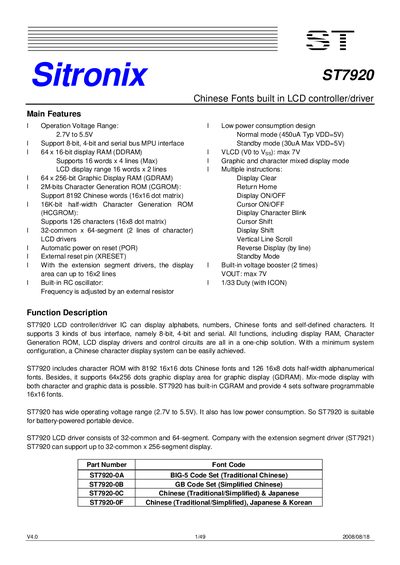
The ST7920 is a single‑chip LCD controller/driver that supports Chinese fonts, graphic display and three bus interfaces (8‑bit, 4‑bit and serial). It includes built‑in character ROMs, graphic RAM and a voltage doubler for low‑power portable applications.\n\nThe document provides a complete description of the pinout, functional blocks, voltage ranges, power consumption, and example application circuits, enabling designers to integrate the device quickly into LCD modules.
| Operating Voltage Range | 2.7 V to 5.5 V |
|---|---|
| Normal Mode Current Consumption | 450 µA (typ) at VDD=5 V |
| Standby Mode Current Consumption | 30 µA (max) at VDD=5 V |
| Character Generation ROM (CGROM) | 2 M‑bit, 8192 Chinese characters (16×16) |
| Half‑width Character Generation ROM (HCGROM) | 16 K‑bit, 126 characters (16×8) |
| Display RAM (DDRAM) | 64 × 16 bit |
| Graphic Display RAM (GDRAM) | 64 × 256 bit |
| Voltage Booster Output (VOUT) | Maximum 7 V |
The ST7920 supports three bus interfaces: 8‑bit parallel, 4‑bit parallel, and a clock‑synchronized serial interface.
Set the PSB pin to 1 for 8‑/4‑bit parallel mode, or to 0 for serial mode.
The device operates from 2.7 V up to 5.5 V.