
User manual for the Shaw Moisture Meters SDH-BTP Bluetooth printer, covering setup, battery, paper, and Bluetooth operations.
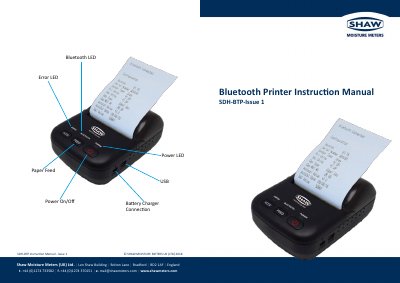
This manual provides instructions for using the Shaw Moisture Meters SDH-BTP Bluetooth printer. It covers battery installation and replacement, paper roll changes, Bluetooth connectivity, and power specifications. The printer uses a rechargeable Li-ion battery and supports thermal paper rolls up to 40mm diameter. It operates within a temperature range of 0°C to +40°C and includes low-power sleep mode for battery conservation.
The device connects via Bluetooth (range 20m) and requires a USB power adapter for charging. The manual also includes safety and operational details such as operating humidity, storage conditions, and power input specifications.
| Dimensions | 106.5 (L) x 78 (W) x 47 (H) mm |
|---|---|
| Weight | 190 g (excluding roll paper) |
| Operating Temperature | 0 °C to +40 °C |
| Operating Humidity | <95% RH |
| Battery | DC7.4V, 1.5 A rechargeable Li-ion battery 1500 mAh |
| Bluetooth Range | 20 m |
| Paper Width | 58 mm |
| Roll Diameter | 40 mm |
| Power Input | 90 - 260 Vac |
| Output Voltage | DC Voltage 5.4 - 8.0 V |
The Bluetooth range is 20 meters.
Thermal paper with a width of 58 mm and maximum roll diameter of 40 mm.
It takes two hours to fully charge the battery.