
Instructions for using SAS Enterprise Guide to import data, create SQL queries and reports with PROC REPORT/TABULATE, and move code to Base SAS.
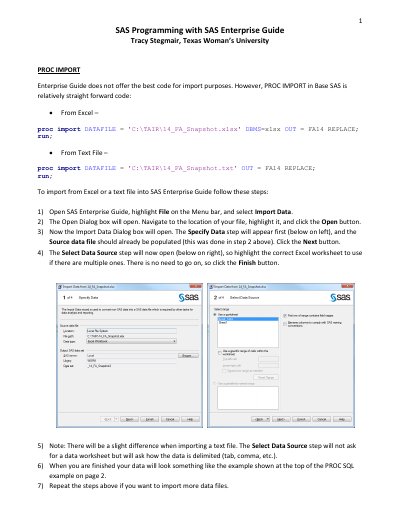
This guide provides step-by-step instructions on how to use the SAS Enterprise Guide interface. It covers importing data from Excel and text files into the software environment.
The document details procedures for using Query Builder to join datasets and filter results, as well as utilizing the List Report Wizard and Summary Tables tools within PROC REPORT and PROC TABULATE for generating reports.
Open the Import Data dialog, navigate to your file, select the worksheet, and click Finish.
Use the Query Builder tab, add tables via the Add Tables button, and drag fields to define the join.
Open the Code tab for your task in Enterprise Guide, copy the code, and paste it into a new program in Base SAS.