
Quick start guide for the Rogue Home Timer, featuring 20 pre-programmed interval settings and Rogue App compatibility for fitness training.
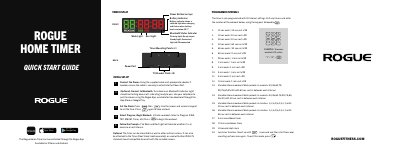
The Rogue Home Timer is a fitness timing device pre-programmed with 20 interval settings and supports various modes including Tabata, EMOM, and Fight Gone Bad. It can be controlled via the Rogue App available for iPhone and Android.
The device features a display with work and rest indicators, Bluetooth connectivity for app pairing, and flexible mounting options, including wall mounting or compatibility with VESA 75 standard brackets.
| Mounting Compatibility | VESA 75 standard mount |
|---|---|
| Pre-programmed Settings | 20 interval settings |
| Volume Levels | 5 Levels |
| Brightness Levels | 5 Levels |
Turn the device on and ensure the Bluetooth Indicator Light is flashing blue or off, then use the Rogue App on a cellphone to pair.
A solid red light indicates the device is charging, while a flashing light means battery levels are below 25%.
Tabata sessions are 4 minutes long, consisting of 20-second intense training periods followed by 10 seconds of rest.