
Key facts
- Manuals
- 1
- Languages
- EN
- Last added
- 2026-11-23
Featured ROGUE manuals
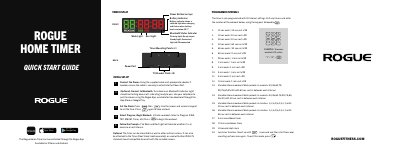
Rogue Home Timer Quick Start Guide
The Rogue Home Timer is a fitness timing device pre-programmed with 20 interval settings and supports various modes including Tabata, EMOM, and Fight Gone Bad. It can be controlled via the Rogue App available for iPhone and Android.
The device features a display with work and rest indicators, Bluetooth connectivity for app pairing, and flexible mounting options, including wall mounting or compatibility with VESA 75 standard brackets.
Covers: INITIAL SET-UP · PROGRAMMED INTERVALS · Interval Timer Mode · Fight Gone Bad (FGB) Mode · Tabata Timer · Count-Up Timer
Latest ROGUE manuals
Rogue Home Timer Quick Start Guide
Quick Start Guide 2 pages · 391 KB · ENQuick start guide for the Rogue Home Timer, featuring 20 pre-programmed interval settings and Rogue App compatibility for fitness training.
Which document do I need?
Quick Start Guide
The shortest path to a working setup, usually only a few pages.
Questions answered in ROGUE manuals
How do I connect the Rogue Home Timer to Bluetooth?
Turn the device on and ensure the Bluetooth Indicator Light is flashing blue or off, then use the Rogue App on a cellphone to pair.
What does the battery indicator light mean?
A solid red light indicates the device is charging, while a flashing light means battery levels are below 25%.