
The RIKEN SACLA HPC System Startup Manual provides step‑by‑step instructions for account creation, login, batch job usage, data handling, and software access.
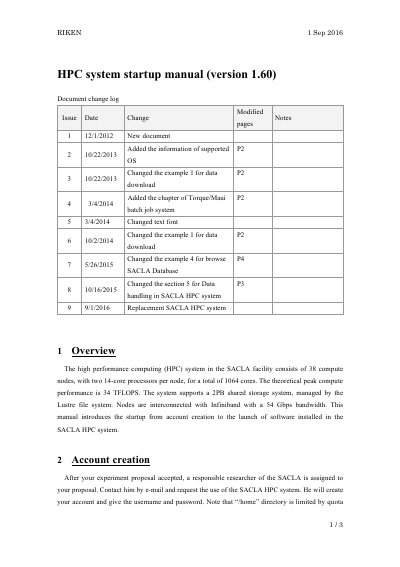
This manual introduces the RIKEN SACLA High Performance Computing (HPC) system, which consists of 38 compute nodes with a total of 1,064 cores and a 2 PB Lustre‑based shared storage. It describes how to start using the system from account creation through running jobs and accessing installed software.
Key sections cover account creation through a responsible researcher, connecting to the SPring‑8 network via VPN, logging in with SSH, using the PBS batch system (qstat, qsub, qdel), handling data, and launching applications such as Hdfview, MATLAB, ImageJ, and Firefox.
| Compute nodes | 38 |
|---|---|
| Processors per node | 2 × 14‑core |
| Total cores | 1,064 |
| Peak performance | 34 TFLOPS |
| Shared storage | 2 PB (Lustre file system) |
| Interconnect | InfiniBand 54 Gbps |
After your experiment proposal is accepted, a responsible SACLA researcher creates your account and provides a username and password.
First connect to the SPring‑8 local network using the VPN service, then log in to the HPC server via SSH.
The PBS queuing system provides three main commands: qstat, qsub, and qdel.
Supported OS include Windows 7‑10 (32‑ and 64‑bit), Mac OS X 10.8‑10.11, Red Hat 6‑7, and Ubuntu 12.04/14.04 (64‑bit only).