
This ResMed AirCurve 10 Quick Start Guide explains setup, comfort settings, cleaning, and parts replacement for the AirCurve 10 therapy device.
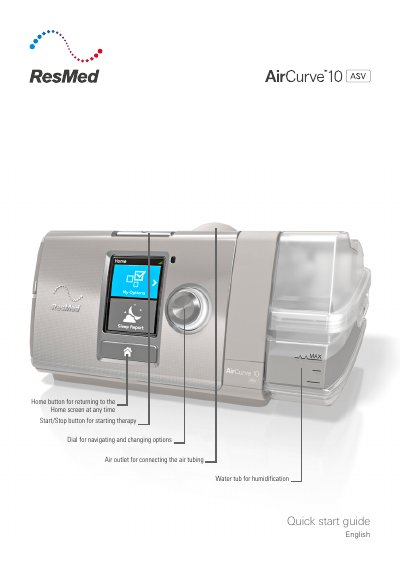
This quick start guide covers the ResMed AirCurve 10 therapy device, including setup, comfort settings, cleaning, and replacement schedules. It helps users begin therapy with the device, water tub, air tubing, and mask.
Setup involves placing the device on a stable level surface, connecting power and air tubing, filling the water tub, and pressing Start/Stop. The guide also describes adjusting Humidity Level and Ramp Time, wiping the device exterior, and registering at ResMed.com/myAir.
Press Start/Stop to begin therapy.
Press the dial to enter My Options, select Humidity Level, turn the dial to your preferred setting, and press to save.
Register today at ResMed.com/myAir.