
This guide provides quick installation and configuration steps for the Raritan EMX-0E rack management system and asset management sensor.
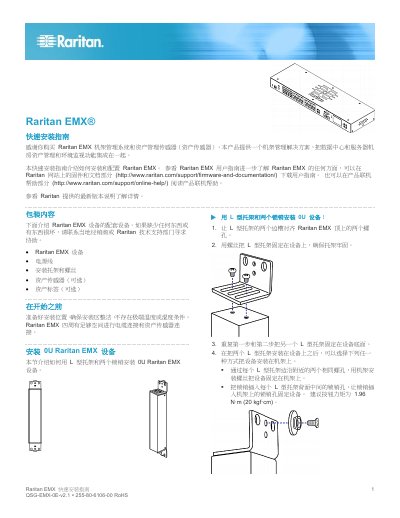
This document is the Quick Start Guide (QSG) for the Raritan EMX-0E rack management system. It details the physical installation of the 0U or 1U device into a rack, including mounting bracket attachment and securing the unit. The guide also covers connecting the device to power and to a computer via serial or USB connections for initial configuration. This manual is written in Chinese.
| Device Form Factor | 0U or 1U |
|---|---|
| Serial Port Type | RJ-232 |
| USB Port Type | USB-B |
| Ethernet Port Type | 5e/6 class UTP |
| Default Baud Rate | 115200 |
| Default Data Bits | 8 |
| Default Stop Bits | 1 |
| Default Parity | None |
| Default Flow Control | None |
| Default Username | admin |
| Default Password | raritan |
| Wireless Protocol Support | 802.11n |
Yes, it supports wireless connections using an 802.11n wireless USB LAN adapter.
The suggested button torque is 1.96 N·m (20 kgf·cm).
Supported options include auto, 10Mbps, or 100Mbps.
The system supports 802.11n with WPA2 (RSN), WPA-PSK, and CCMP (AES) encryption.