
Guide for updating the R4S Electronic Dog UF2 file to switch between custom Switch firmware.
The R4S Electronic Dog is a Nintendo Switch accessory that uses a UF2 boot file to launch custom firmware such as Atmosphere, ReiNX, or SXOS. This guide shows how to replace the UF2 file and prepare the device for different homebrew systems.
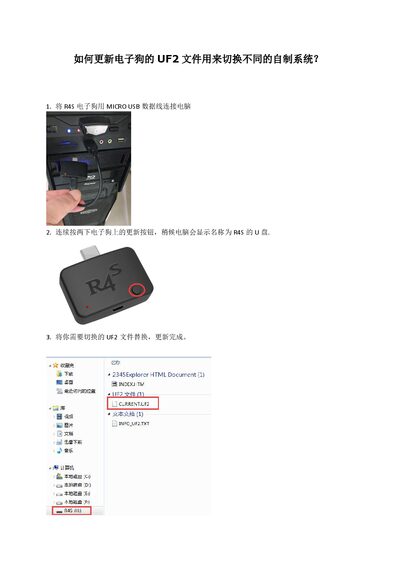
Connect the device to a PC via Micro‑USB, press the update button twice to expose a R4S drive, copy the desired UF2 file, and optionally place a custom payload.bin on the SD card root. If no payload is found, the device boots the default hekate 4.1 loader. This manual is written in Chinese.
| Connection interface | Micro USB |
|---|---|
| Storage requirement | TF card (SD card) |
Connect the device via Micro‑USB and press the update button twice; the PC will show a drive named R4S.
Use the UF2 file provided at https://u18225898.ctfile.com/fs/18225898-311801092.
The device defaults to booting hekate 4.1.