
User manual for the Quantenna QTP940-5S1-GEVK evaluation board, detailing power, UART, boot mode, web GUI, and telnet access.
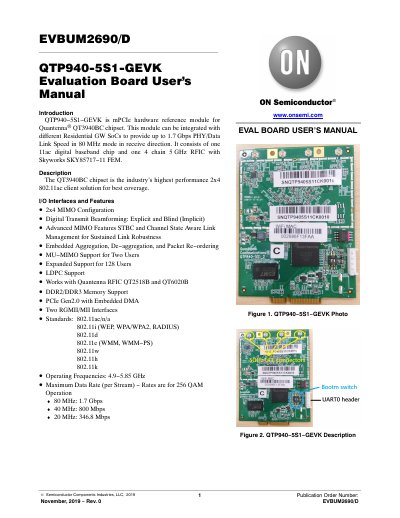
This document provides instructions for using the QTP940-5S1-GEVK evaluation board, a hardware reference module for the Quantenna® QT3940BC chipset. It covers power configuration, UART header setup, boot mode switch, console display, web GUI access, and telnet login. The board supports 2x4 MIMO, 802.11ac/n/a, and operates in 4.9–5.85 GHz frequencies with up to 1.7 Gbps PHY speed in 80 MHz mode.
The board is intended for research and development purposes only and is not a finished product. Users must have technical training and assume full responsibility for safe handling. The manual includes disclaimers regarding liability, usage, and compliance with regulations.
| Chipset | Quantenna® QT3940BC |
|---|---|
| Maximum Data Rate (80 MHz) | 1.7 Gbps |
| Operating Frequencies | 4.9 −5.85 GHz |
| Default IP Address | 192.168.1.200 |
| Web GUI Username | super |
| Telnet Username | root |
The default IP address is 192.168.1.200.
Use the board’s IP address and log in with username 'root'.
The default username is 'super' and the password is 'super'.
It uses the Quantenna® QT3940BC chipset.