
User manual for the PULS CD5.241 isolated 24V DC/DC converter, covering installation, operation, specifications, and safety features.
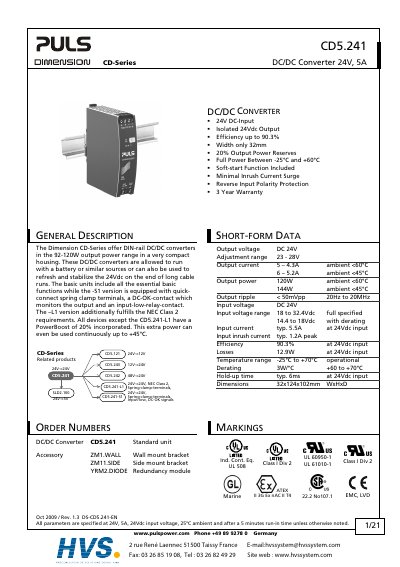
The PULS CD5.241 is a compact, isolated DC/DC converter designed for industrial control, office, communication, and instrumentation equipment. It features a 24V input and output with an efficiency of up to 90.3% and includes a soft-start function to limit inrush current. The unit is designed for DIN-rail mounting and convection cooling without an external fan.
This manual provides detailed instructions on installation requirements, including grounding and ventilation clearances. It covers operational parameters such as input voltage ranges, output current capabilities, and protection features like reverse polarity protection. Additionally, it includes application notes on parallel use, battery charging, and mounting orientations.
| Output voltage | 24V |
|---|---|
| Output current | 5A |
| Output power | 120W |
| Input voltage range | 18 to 32.4Vdc |
| Efficiency | 90.3% |
| Temperature range | -25°C to +70°C |
| Dimensions | 32x124x102mm WxHxD |
The maximum continuous input voltage is 36.0Vdc, though 32.4Vdc is the full specified range.
No, the device is designed for convection cooling and does not require an external fan.
The maximum input inrush current is 1.6A peak.