
This Promise guide explains how to install the Fasttrak Serial Linux Driver 1.2.0.14 on Red-Hat Linux 7.2 from a diskette.
This installation guide covers the Promise Fasttrak Serial Linux Driver 1.2.0.14 for Red-Hat Linux 7.2. It explains how to enter installation parameters, install the driver from a diskette, configure the boot loader, and add an initial ramdisk.
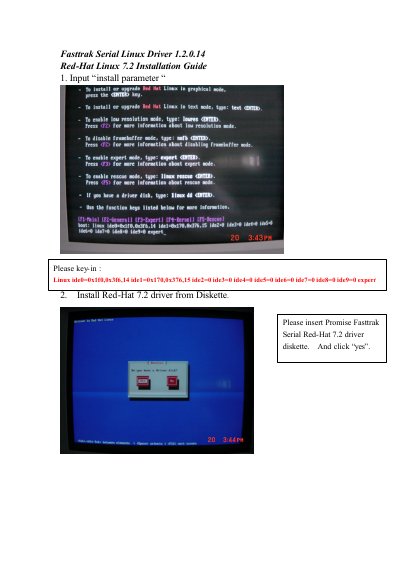
Insert the Promise Fasttrak Serial Red-Hat 7.2 driver diskette and click “yes”.
Input Ide0=0x1f0,0x3f6,14 ide1=0x170,0x376,15 ide2=0 ide3=0 ide4=0 ide5=0 ide6=0 ide7=0 ide8=0 ide9=0.
Use the command #mount –t vfat /dev/fd0 /mnt/floppy.