
This manual provides instructions for setting up, configuring alarms, and adjusting parameters for the PhyMetrix Dewpoint Display 4 industrial instrument.
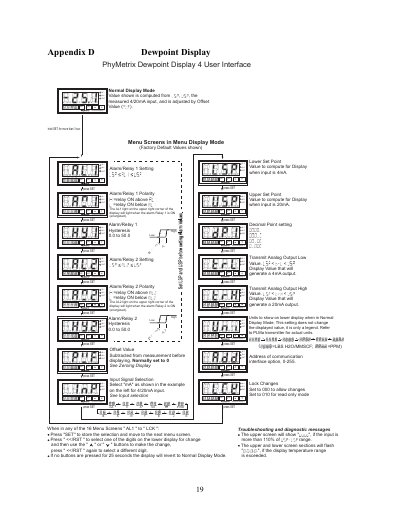
The PhyMetrix Dewpoint Display 4 is an industrial instrument designed for dewpoint display and control. The device features a user interface with specific menu screens for configuration, including settings for alarm relays, input signal selection, and analog output transmission. Users can adjust parameters such as offset values, hysteresis, and gain to customize the display and alarm behavior.
The AL1 light will light when alarm Relay 1 is ON (energized).
The value shown is computed from the measured 4/20mA input and is adjusted by Offset Value and Gain Value.
Select "mA" as shown in the example on the left for 4/20mA input.