
Philips MCD139B quick start guide covering box contents, speaker and subwoofer connections, TV setup, clock setting, radio presets and disc playback.
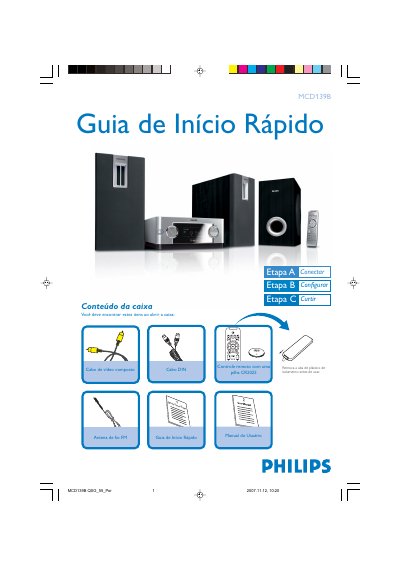
This four-page Portuguese quick start guide for the Philips MCD139B walks through setup in three stages: connecting, configuring and enjoying. It first lists the items found in the box, including the remote control with a CR2025 battery, composite video cable, DIN cable and FM wire antenna, then shows how to wire the right speaker and subwoofer to the left speaker and connect the left speaker to the DVD player with the supplied DIN cable. It also covers connecting the DVD player to a TV with the composite video cable, hooking up a VCR or decoder to the AUX IN 1 sockets, attaching the FM antenna and plugging in the AC power cord.
The second stage explains TV setup, the DVD menu options and turning off Progressive scan, plus how to set the clock using the CLOCK button and the hour/minute buttons on the unit. The final stage describes playing a disc and programming FM radio stations with the PROG button, and closes with notes on selecting the source on the remote control. The guide repeatedly refers to the accompanying User Manual for detailed connection options and playback features. This manual is written in Portuguese.
| Remote control battery | CR2025 |
|---|
The unit can only be operated after the DIN cable is connected. The left speaker is connected to the DVD player with the supplied DIN cable, and the right speaker and subwoofer wires go to the left speaker.
In standby or any source mode, press and hold CLOCK on the remote control until the clock digits light up, set the hours and minutes with the buttons on the unit, then press CLOCK again to store the setting.
Press SOURCE (or TUNER on the remote) to select FM, then press and hold PROG until "START" appears; the unit programs all available stations by waveband.
Press OPEN/CLOSE to open the disc compartment, place the disc with the printed side facing up and close the compartment. Playback starts automatically, otherwise press play.