
User guide for Philips DVD home theater system covering setup, connection, playback, sound adjustment, and troubleshooting.
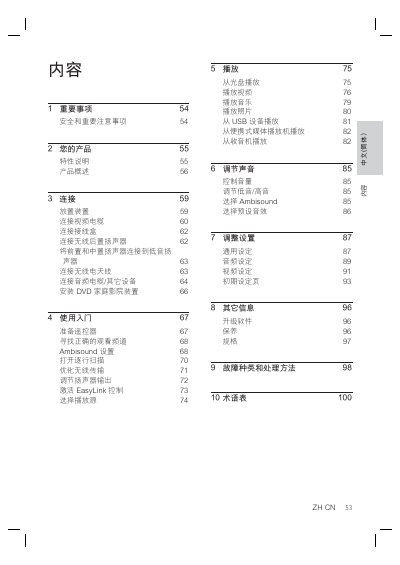
This manual provides step-by-step instructions for setting up and using a Philips DVD home theater system. It covers connecting video and audio cables, configuring speakers, adjusting sound settings, and troubleshooting common issues. The device supports 9.1-channel surround sound, HDMI CEC (EasyLink) for remote control of compatible devices, and playback from USB and portable media players. It also includes safety precautions and maintenance tips. This manual is written in Chinese.
| Video Resolution | 1080p Full HD |
|---|---|
| Audio Channels | 9.1-channel surround sound |
| HDMI CEC Support | Yes |
| USB Playback | MP3/WMA/JPEG/DivX |
The device supports MP3, WMA, JPEG, and DivX files from USB devices, and can play music from portable media players via the MP3 LINK port.
You can control volume, adjust bass and treble, select Ambisound modes, and choose preset audio effects using the remote control or on-screen menus.