
This manual provides instructions for connecting the PG-9090 game controller to Android, iOS, and PC devices via Bluetooth or 2.4G modes.
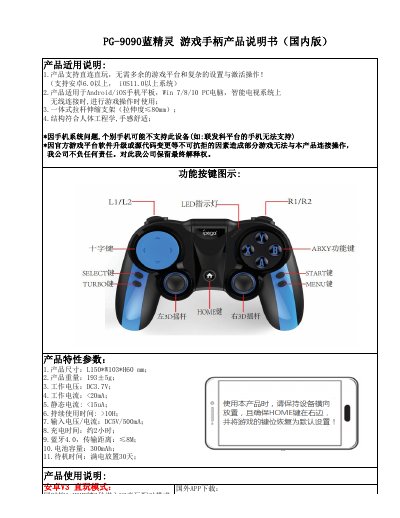
The PG-9090 is a wireless game controller compatible with Android (6.0+), iOS (11.0+), Windows PCs, and smart TVs. It supports direct play without additional platforms for supported games like PUBG Mobile. The device features Bluetooth 4.0 connectivity with a range of up to 8 meters. This manual is written in Chinese.
| Dimensions | 150*103*60 mm |
|---|---|
| Weight | 193±5g |
| Operating Voltage | DC 3.7V |
| Input Voltage/Current | DC5V/500mA |
| Battery Capacity | 300mAh |
| Bluetooth Version | 4.0 |
Search for 'ShootingPlus' in the Apple App Store or Google Play Store, then install and open 'ShootingPlus V3'.
Press and hold the A and HOME buttons for 2 seconds until LED1 flashes fast, then select 'PG-9090' from your device's search results.
Use the included 2.4G receiver and press and hold L1 and HOME buttons for 3 seconds until LEDs 1 and 2 flash fast.
The battery takes approximately 2 hours to fully charge.