
User manual for Pepwave MAX routers covering installation, LAN/WAN configuration, VPN, firewall, QoS, captive portal, high availability, and administration.
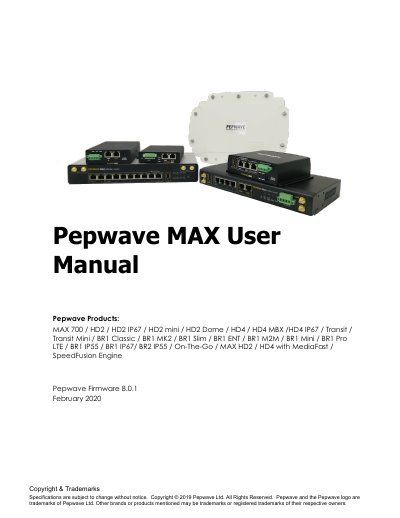
This user manual covers setting up Pepwave MAX routers and provides an introduction to their features and usage. It describes supported network features such as WAN, LAN, VPN, firewall, captive portal, outbound policy, AP controller, and QoS.
The manual also includes model overviews, installation and mounting guidance, web admin configuration for LAN and WAN interfaces, SpeedFusion/PepVPN, outbound policy, firewall, remote user access, high availability, AP controller, toolbox, status, and regulatory declarations.
| Firmware version | 8.0.1 |
|---|---|
| Dynamic DNS service providers | changeip.com, dyndns.org, no-ip.org, tzo.com, DNS-O-Matic |
| Minimum separation distance (MAX On-The-Go, standalone) | 1.20 cm |
| Minimum separation distance (MAX On-The-Go, with 3G USB device) | 65 cm |
It covers setting up Pepwave routers and provides an introduction to their features and usage.
The listed products include MAX 700, HD2, HD2 IP67, HD2 mini, HD2 Dome, HD4, HD4 MBX, HD4 IP67, Transit, Transit Mini, BR1 Classic, BR1 MK2, BR1 Slim, BR1 ENT, BR1 M2M, BR1 Mini, BR1 Pro LTE, BR1 IP55, BR1 IP67, BR2 IP55, On-The-Go, MAX HD2/HD4 with MediaFast, and SpeedFusion Engine.
Supported WAN features include built-in cellular modems, among other Ethernet, USB mobile, and Wi-Fi WAN connections.
VRRP stands for Virtual Router Redundancy Protocol.