
Instruction and service manual for the Pennsylvania Scale Co. 7600E Digital Indicator, covering setup, calibration, serial ports, setpoints and spare parts.
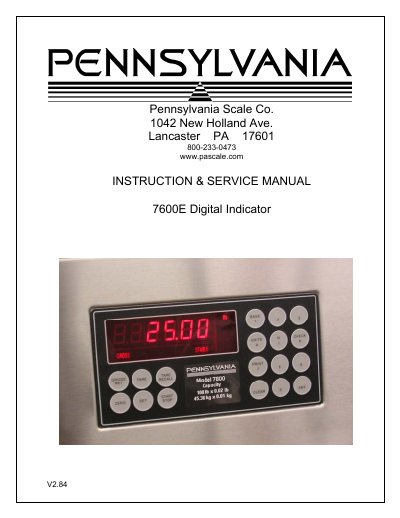
The Pennsylvania Scale Co. 7600E Digital Indicator is covered by an INSTRUCTION & SERVICE MANUAL marked V2.84. The manual lists specifications, installation, setup access, menu layout, configuration, calibration, serial ports and communications, analog output, digital input/output, setpoints, over/under, batch mode, time and date, weigh in/out, smart serial, ASCII chart, display messages, 115/220 VAC conversion, and spare parts.
The 7600E uses a 24-bit delta sigma load-cell A/D converter with 5 VDC, 120 mA excitation; a six-decade, 0.6-inch LED display; serial ports; and a stainless steel NEMA 4x enclosure. Options listed include time and date, analog output, DIO, an optional case, and a panel-mount kit.
| A/D Converter Type | 24-bit delta sigma |
|---|---|
| Excitation | 5 VDC, 120 mA max |
| Signal Input | 16 mV |
| Sensitivity | 0.1 uV/grad |
| Update Rate | 30 updates/second |
| Display | Six decades, 0.6 inch LED |
| Power Input | 117/217 VAC, 50-60 Hz, 20 watts |
| Serial Port 2 | RS485, RS232C or 20 mA |
| Enclosure | Stainless steel, NEMA 4x, tilt-stand base, 7 lb |
| Case Dimensions | 9 in (w) x 6.44 in (h) x 4 in (d) |
| Analog Output Option | 0-10 V, 4-20 mA (16-bit D/A) |
| Digital I/O Option | 4 AC/DC inputs, 4 AC outputs (solid-state relays, 0.5 A) |
| Time & Date Option | 12/24 hr, battery backed |
Press and hold the Zero key for five seconds. The display first shows audit trail counters, then the access code request “AC?”.
The initial factory setting is 0000, entered with four steps of the Gross/Net key and Print.
It supports four output relays, configurable for normal setpoints, over/under, or manual/auto batch modes.
Port 1 supports RS232C or 20 mA; Port 2 supports RS485, RS232C, or 20 mA.