
Key facts
- Manuals
- 1
- Languages
- EN
- Last added
- 2026-11-16
Featured Pennsylvania Scale Co. manuals
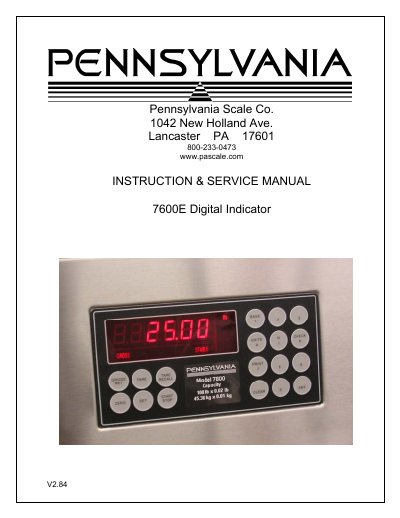
Pennsylvania Scale Co. 7600E Digital Indicator Instruction & Service Manual
The Pennsylvania Scale Co. 7600E Digital Indicator is covered by an INSTRUCTION & SERVICE MANUAL marked V2.84. The manual lists specifications, installation, setup access, menu layout, configuration, calibration, serial ports and communications, analog output, digital input/output, setpoints, over/under, batch mode, time and date, weigh in/out, smart serial, ASCII chart, display messages, 115/220 VAC conversion, and spare parts.
The 7600E uses a 24-bit delta sigma load-cell A/D converter with 5 VDC, 120 mA excitation; a six-decade, 0.6-inch LED display; serial ports; and a stainless steel NEMA 4x enclosure. Options listed include time and date, analog output, DIO, an optional case, and a panel-mount kit.
Covers: Specifications · Installation · Setup Access · Menu Layout · Configuration · Calibration
Latest Pennsylvania Scale Co. manuals
Pennsylvania Scale Co. 7600E Digital Indicator Instruction & Service Manual
Service Manual 34 pages · 560 KB · ENInstruction and service manual for the Pennsylvania Scale Co. 7600E Digital Indicator, covering setup, calibration, serial ports, setpoints and spare parts.
Which document do I need?
Service Manual
Disassembly, diagnostics and part numbers, for repair.
Questions answered in Pennsylvania Scale Co. manuals
How do I access setup, configuration, or calibration on the 7600E?
Press and hold the Zero key for five seconds. The display first shows audit trail counters, then the access code request “AC?”.
From: Pennsylvania Scale Co. 7600E Digital Indicator Instruction & Service Manual
What is the factory access code for the 7600E?
The initial factory setting is 0000, entered with four steps of the Gross/Net key and Print.
From: Pennsylvania Scale Co. 7600E Digital Indicator Instruction & Service Manual