
This manual provides installation, operation, setting procedures, warning modes and warranty information for the ORO W410 wireless tire pressure monitoring…
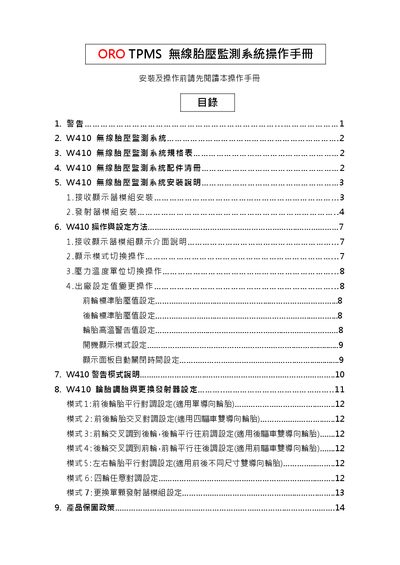
The ORO W410 TPMS consists of four transmitter modules and a receiver display module that monitor tire pressure, temperature and vehicle battery/alternator voltage. The manual details how to install the receiver and transmitter modules, configure standard tire‑pressure values, and adjust display settings.
It also explains the system’s warning modes, how to change pressure and temperature units, and the warranty policy. Safety warnings, FCC/NCC compliance notes, and troubleshooting steps for signal loss are included. This manual is written in Chinese.
| Battery voltage | 3 V |
|---|---|
| Operating humidity (max) | 95 % |
| Storage temperature range | -40℃ to 125 ℃ |
| Operating frequency | 433.92 MHz |
| Pressure detection range | 0 ~ 116 psi (0 ~ 800 kPa) |
| Pressure detection error | ±1 psi |
| Temperature detection range | -30℃ to 115 ℃ |
| Temperature detection error | ±3℃ |
| Module weight | 22.7 g ± 1g |
| Receiver working voltage | DC 9V ~ 16V |
| Receiver normal current | <200mA at DC 12V |
Long‑press the MODE button for 3 seconds while the pressure display is active to switch between psi, kPa and bar.
Short‑press the MODE button to adjust the front‑wheel standard pressure, then press SET to confirm and move to the rear‑wheel setting; the factory default is 35 psi.
Insert the ignition‑line connector into the receiver’s rear power jack, attach the 3M adhesive backing, and adjust the mounting angle before tightening the mounting screw.
The system shows E1 for internal configuration errors and E2 when no signal is received for more than 10 minutes; both can be cleared by holding the MODE button for over 3 seconds.