
User guide for Nokia phone covering messaging, calling, camera, browsing, and Bluetooth connectivity.
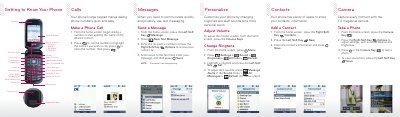
This guide explains how to send messages, make calls, take photos, browse the web, and use Bluetooth on your Nokia phone. It includes step-by-step instructions for personalizing settings like ringtones and alert sounds. The manual also covers downloading apps via BREW and managing bookmarks for quick web access.
Key features include a 1.3 megapixel camera, volume controls, contact management, and voice commands. Instructions are presented with clear numbered steps and soft key references for navigating the phone’s interface. This manual is written in Chinese.
From the home screen, press the Left Soft Key Message, then New Text Message. Enter the recipient’s number or select from your contact list, type your message, and press Send.
Press the Camera Key from the home screen, adjust settings via the Right Soft Key Options, press the Camera Key or to take the photo, then press the Left Soft Key Save to save it.
Place the device in pairing mode, press Menu > Bluetooth > Paired Devices, press Search, turn on Bluetooth if prompted, select the device, and press Pair.