
Installation and user guide for the Nie-Tech WF30 smart switch, covering wiring diagrams, network configuration via Smart Life app, and manual control settings.
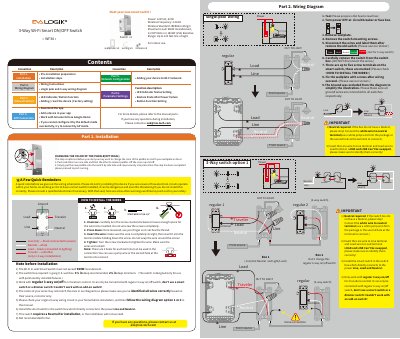
This document provides installation instructions for the Nie-Tech WF30 3-Way Wi-Fi Smart ON/OFF Switch. It details safety warnings, pre-installation requirements such as the need for a neutral wire, and step-by-step wiring diagrams for single-pole and 3-way configurations.
| Power Supply | 120V AC, 60Hz |
|---|---|
| Wireless Frequency | 2.4GHz |
| Wireless Standard | IEEE802.11b/g/n |
| Maximum Load (Incandescent) | 960W |
| Maximum Load (Resistive) | 1800W (15A) |
| Wireless Range | Up to 100 feet line of sight |
Yes, the switch requires a Neutral wire; if the box does not have one, installation will not succeed.
No, it cannot work with dimmer switches or other smart switches in a 3-way setup.
The "Smart Life" application is required to download and set up the device.