
User manual for the Motorola MOTO BUDS 105 true wireless Bluetooth earbuds: charging, pairing, touch controls, reset, specs and troubleshooting.
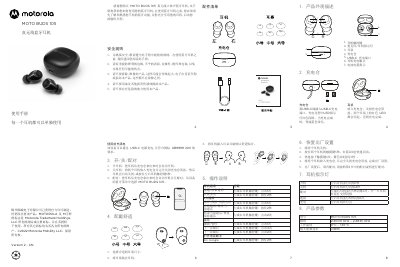
This is the Chinese user manual for the Motorola MOTO BUDS 105 true wireless stereo Bluetooth earbuds, manufactured under license by 梅州国威电子有限公司 (Meizhou Guowei Electronics). It explains the parts of the earbuds and charging case, how to charge them through the USB-C port, how to switch them on and off, and how to pair them with a phone by choosing MOTO BUDS 105 from the Bluetooth menu. Each earbud can be used on its own.
The manual also covers choosing and fitting the ear tips, the touch-key operations for calls and music (including the voice assistant), the LED indicator patterns, and how to restore the factory settings. A specifications table lists the model, frequency band, operating temperature and maximum RF power, and the closing pages give safety and battery warnings, a troubleshooting table, warranty terms and the hazardous-substances table. This manual is written in Chinese.
| Model | MOTO BUDS 105 |
|---|---|
| Frequency band | 2.4000 GHz – 2.4835 GHz |
| Operating temperature | 0°C to +45°C |
| Maximum RF power | 7 dBm |
| Charging port | USB-C |
| Battery | Built-in lithium battery |
| Accessory warranty | 90 days from first purchase |
Take the earbuds out of the charging case; they switch on and pair automatically. Then select MOTO BUDS 105 in your device's Bluetooth menu. If the earbuds are not in pairing mode, the phone cannot find them.
Yes, the manual states that each earbud can be used separately.
Switch both earbuds off, hold the touch key on both for 5 seconds until the red and blue LEDs flash quickly, press the touch key 4 times, then put both earbuds in the case and close the lid. Pair them again afterwards.
The troubleshooting table lists low battery as the cause and charging the earbuds as the solution.