
A quick installation guide for the MOBOTIX p25 indoor network camera, covering setup, lens installation, and MX-Bus-IO module integration.
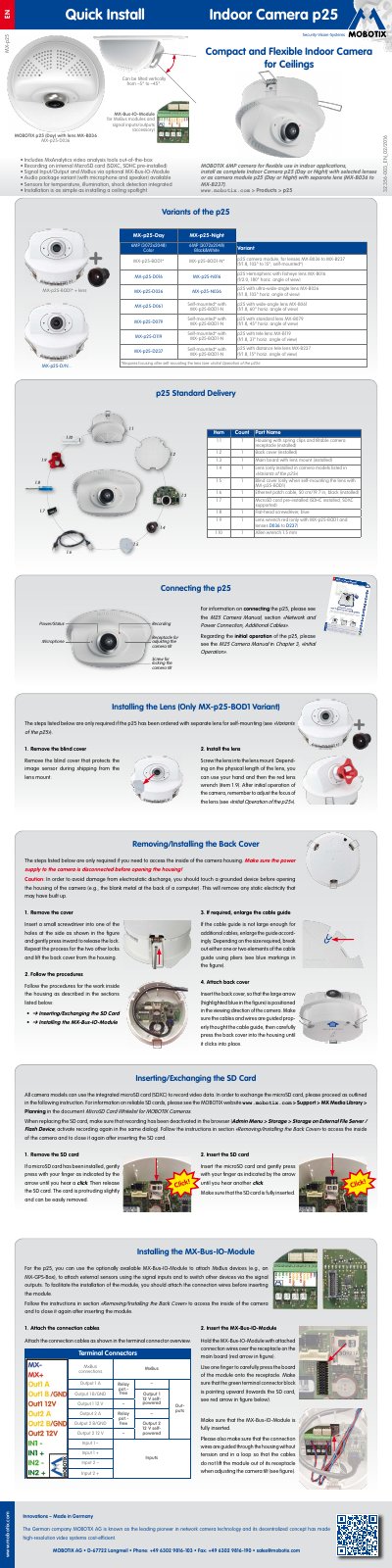
This document serves as a Quick Install Guide for the MOBOTIX p25 indoor camera, designed for flexible use in indoor applications. It details the standard delivery contents, including the housing, main board, pre-installed MicroSD card, and necessary tools. The guide emphasizes the simplicity of installation, comparing it to installing a ceiling spotlight, and highlights features such as integrated sensors for temperature, illumination, and shock detection.
| Resolution | 6MP (3072x2048) |
|---|---|
| Tilt Range | -5° to -45° |
| Storage | MicroSD card (SDXC, SDHC) |
| Included Cable | Ethernet patch cable, 50 cm |
The standard delivery includes a flat-head screwdriver and a red lens wrench (for specific lens variants).
Yes, if the camera is ordered with a separate lens (MX-p25-BOD1 variant), the lens can be self-mounted and focused after initial operation.
The optional MX-Bus-IO-Module allows the attachment of MxBus devices, external sensors via signal inputs, and switching of other devices via signal outputs.