
This quick start guide for the METTLER TOLEDO FE28 laboratory pH meter covers power on/off, mode switching, calibration settings, measurement procedures…
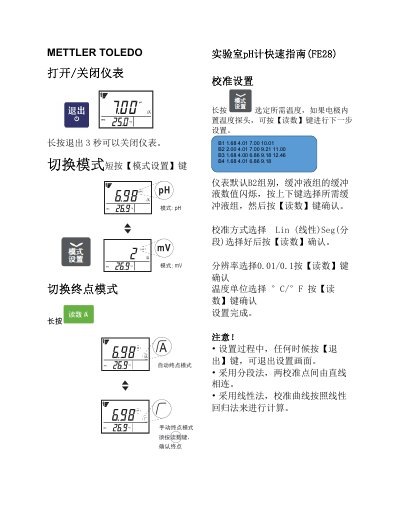
The document provides a brief overview of operating the METTLER TOLEDO FE28 instrument. It explains how to turn the device off by holding the Exit key for three seconds and how to switch between modes using the Mode/Settings button.
Detailed instructions are provided for calibration, including selecting buffer groups (B1-B4) and choosing between linear or segmented calculation methods. The guide also covers measurement steps and specifies that electrodes should be stored in appropriate storage solutions rather than deionized water. This manual is written in Chinese.
To turn off the instrument, press and hold the Exit key for 3 seconds.
The instrument defaults to Group B2, which includes buffers at 2.00, 4.01, 7.00, 9.21, and 11.00.
After the reading stabilizes in the second buffer, press the Read key to finish calibration.
You should store the electrode in a proper storage solution and never in deionized water.