
The Meikexing D128 dual‑band Wi‑Fi router user manual provides setup, connection, and troubleshooting instructions.
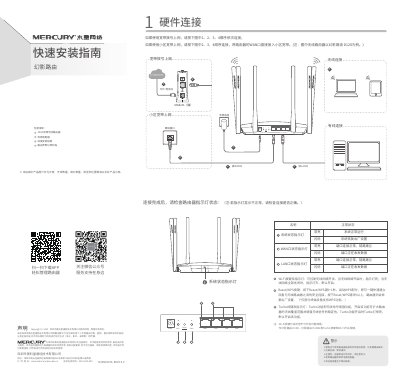
This manual explains how to connect the D128 router hardware, including power, WAN/LAN ports, Wi‑Fi and Turbo buttons, and indicator lights. It also covers the WPS and Reset functions, and describes the default Turbo mode that enhances wireless coverage.
The guide walks you through router configuration via the web interface, setting up internet connection types, wireless SSID and password, and using the MERCURY ID for online updates. Warranty terms, safety notices, and a FAQ section address common issues such as accessing the management page and resetting the device. This manual is written in Chinese.
| Frequency Bands | 2.4 GHz and 5 GHz |
|---|---|
| Turbo Function | Enabled by default, enhances wireless coverage |
| Power Adapter Warranty | 1 year |
Press and hold the Reset/WPS button while the router is powered on until the indicator flashes quickly, then release.
Ensure the computer is set to obtain IP and DNS automatically, connect to the router’s LAN port, and verify the LAN indicator is lit.