
User manual for the Meade CaptureView integrated binocular and digital camera, covering operation, image transfer, and specifications.
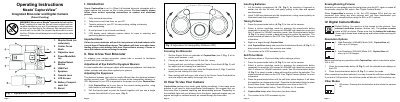
This manual provides instructions for using the Meade CaptureView, an 8x30mm binocular with an integrated digital camera. It details how to adjust the eyepieces for eyeglass wearers, focus the binocular, and operate the camera to take pictures in high or low resolution modes. The guide also explains how to use the self-timer and manage image storage.
| Binocular Magnification | 8X |
|---|---|
| Binocular Objective Lens Diameter | 30mm |
| Binocular Optical Design | Folding Roof Prism |
| Binocular Close Focus | 16 ft. |
| Angle of View (Camera / Binocular) | 6.0° / 5.8° |
| Binocular Field of View | 331.4 ft. at 1000 yds. |
| Image Capture Resolution | 640 x 480 / 320 x 240 |
| Camera Aperture | f/5.6; Fixed Lens |
| Camera Optimum Range | 32.8 ft. to Infinity |
CaptureView will store up to 45 images in High Resolution mode.
The self-timer allows a 10 second delay before taking a picture.
The operating environment is 41° to 104° F (5° to 40° C).