
The Meade CV-2 User Manual provides setup, operation, and troubleshooting instructions for the 8×30 binocular with an integrated 1.3 MP camera.
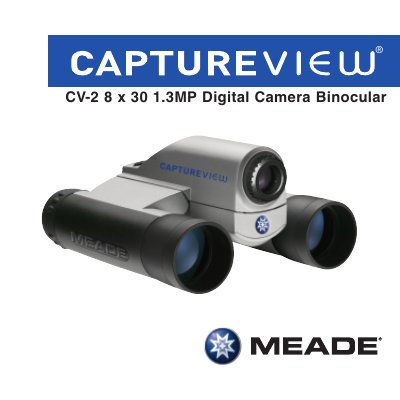
The Meade CV-2 is an 8 × 30 mm binocular that incorporates a 1.3 MP digital camera, LCD display, and Flashback video feature. It is designed for easy photography and video capture while still functioning as a fully‑featured binocular.
This manual covers quick‑start steps, battery installation, SD‑card handling, camera operation (including Flashback, picture taking, video recording, and self‑timer), USB connection to a PC or Mac, software installation, and maintenance and troubleshooting procedures.
| Magnification | 8× |
|---|---|
| Objective lens diameter | 30 mm |
| Field of view (diagonal) | 7.9° |
| Image capture resolution | 1280 × 1024 or 640 × 480, 24‑bit color |
| Camera aperture | f/4.0 (fixed) |
| Memory | 16 MB SDRAM |
| Storage capacity at 1280 × 1024 | 12 images |
| Batteries | Two AAA 1.5 V alkaline |
| Dimensions (W × H × D) | 4.25" × 2.4" × 5.75" |
| Operating temperature | 41° – 104°F (5° – 40°C) |
| Interface | USB |
| Display | LCD panel |
Press the Mode button until the Flashback icon appears, then press the Shutter button; the device records the last 10 seconds of activity.
At 1280 × 1024 resolution the camera can store up to 12 images on the internal memory.
The CV‑2 is powered by two AAA 1.5 V alkaline batteries.
Connect the CV‑2 to a PC or Mac with the supplied USB cable and use the included Ulead Photo Express software to view, edit, and copy the images.