
Man & Machine SoCool keyboard operating manual covering button functions, installation, cleaning, and touchpad recalibration.
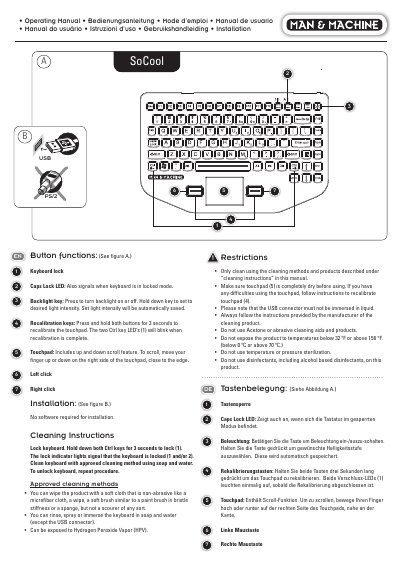
This manual covers the Man & Machine SoCool keyboard's button functions, installation without software, touchpad scrolling and recalibration, and keyboard locking for cleaning.
It also lists approved cleaning methods and restrictions, including temperature limits and precautions for the USB connector.
| Operating temperature range | 0 to 70 °C (32 to 158 °F) |
|---|
Hold down both Ctrl keys for 3 seconds; the lock indicator lights show that the keyboard is locked.
Press and hold both recalibration buttons for 3 seconds; the two Ctrl key LEDs blink when recalibration is complete.
No software is required for installation.
No, the USB connector must not be immersed in liquid.