
Logix 740/760 series controller installation guide for water treatment installers, covering initial setup, regeneration, and operation.
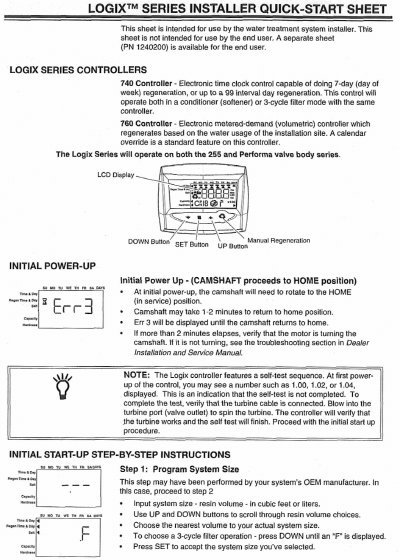
This Logix 740/760 series controller installer quick-start sheet is for the water treatment system installer, not the end user. The installer quick-start covers initial power-up, the camshaft moving to the HOME position, a self-test, and step-by-step initial start-up instructions for programming system size, time of day, day of week, regeneration time, days to regenerate, calendar override, salt amount, estimated capacity, and hardness.
The sheet also includes manual regeneration procedures, regeneration cycles, resetting the control, and normal operation instructions. It describes immediate and delayed manual regeneration, regeneration cycles, how to set the clock and day of week, bypass mode, and cautions for service or questions.
| Regeneration schedule | Up to 99 day regeneration or 7-day day-of-week regeneration |
|---|---|
| Control modes | Conditioner (softener) or 3-cycle filter mode |
| Default regeneration time | 2:00 AM |
The default regeneration time is 2:00 AM.
The 760 controller regenerates based on the water usage of the installation site, and it has a standard calendar override feature.
Press and hold SET and DOWN simultaneously for 5 seconds, then press and hold SET for 5 seconds to reset.