
Lockwood 1220-221 - 0321 Commercial Door Furniture Installation Guide

Installation guide for Lockwood commercial door furniture, covering mounting, handing, and tailbar selection for various door series.
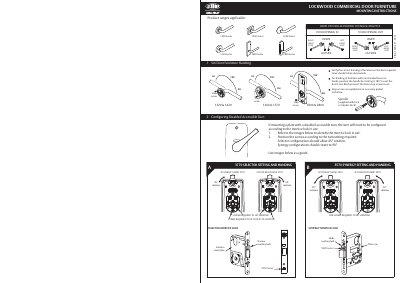

Lockwood 1220-221 - 0321 Commercial Door Furniture Installation Guide - cover page
Brand
Lockwood
Document type
Installation Guide
Language
English
Pages
2
File format
PDF
File size
1.7 MB
Published
05 November, 2026
Updated
05 November, 2026
MD5 checksum
181F15FAD4882801B78635F4420D1E47

About this manual

This guide provides step-by-step instructions for installing Lockwood commercial door furniture, including configuring handing for left- or right-hand doors and selecting appropriate tailbars based on door thickness. It details screw settings, door preparation, and mounting plate configurations for models like 1220, 1420, 1360, 1370, 1800, and 2800 series. The guide also includes templates for drilling holes based on backset and lock type.

What's inside

  • Mounting Instructions
  • Handing Configuration
  • Tailbar Selection
  • Door Preparation
  • Mounting Plate Furniture with Turn Configurations
  • Final Assembly

Frequently asked questions

What rotation angle is required for a 3570 selector setting?

The 3570 selector setting requires a 90° rotation.

What rotation angle is required for a 3770 selector setting?

The 3770 selector setting requires a 45° rotation.

What diameter hole is needed for a turn knob?

A 22mm diameter hole is needed for a turn knob.

Download PDF (1.7 MB)