
Installation, operation, and programming instructions for the Leviton DHS05 indoor humidity sensor and fan controller.
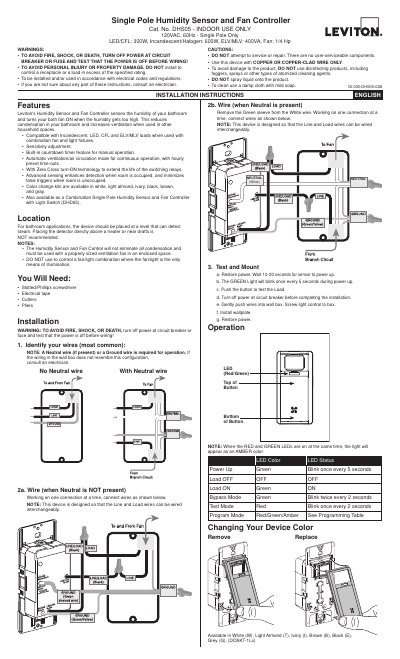
This manual provides installation instructions for the Leviton DHS05 Single Pole Humidity Sensor and Fan Controller. It details wiring configurations with or without a neutral wire, safety warnings regarding power disconnection, and compatibility ratings for various lighting and fan loads including LED, CFL, incandescent, and halogen types.
The document explains how to program the device using button combinations to adjust settings such as time period, humidity sensitivity, and operating mode. It covers three main modes: Automatic (Air Cycle), Manual, and Bypass, along with troubleshooting tips for false triggers or delayed responses.
| Voltage | 120VAC, 60Hz |
|---|---|
| LED/CFL Load Rating | 300W |
| Incandescent/Halogen Load Rating | 600W |
| ELV/MLV Load Rating | 400VA |
| Fan Motor Rating | 1/4 Hp |
The device requires a branch circuit with Line and Load wires; a Neutral wire is also required unless using the specific wiring configuration without it.
Hold the TOP and BOTTOM of the button down simultaneously for at least 5 seconds.
A green light that blinks once every 5 seconds indicates the device is powering up.
Hold the BOTTOM of the button for 5 seconds to enter Bypass Mode, which disables the humidistat functionality.