
User guide for the Lenovo ThinkPad X250 laptop, covering safety, setup, and maintenance instructions.
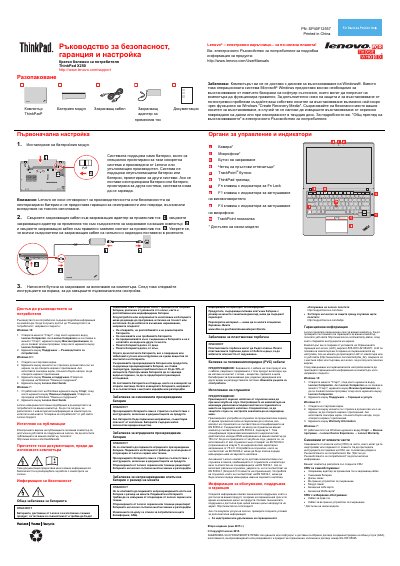
This document is the User Guide for the Lenovo ThinkPad X250 laptop. It provides essential information for the initial setup, including instructions for installing the battery module and connecting the power adapter. The guide also details how to access the Lenovo User Guide software on Windows 10, 8.1, and 7.
No, the computer is not delivered with Windows recovery discs. Users must create their own recovery media using the Windows 'Create Recovery Media' function.
The package includes the computer, a battery module, a power cable, an AC power adapter, documentation, and optionally a wireless LAN or WAN card depending on the model.
The computer's headphone jack output is limited to a maximum wideband RMS voltage of 150 mV.
The CRUs include the AC power adapter and cable, removable battery, bottom cover, internal storage device, memory module, wireless LAN card, and wireless WAN card.