
Kyocera TASKalfa 6053ci series delivers brilliant color quality, high-speed printing up to 55 ppm, and advanced mobile support with Mopria, AirPrint, NFC…
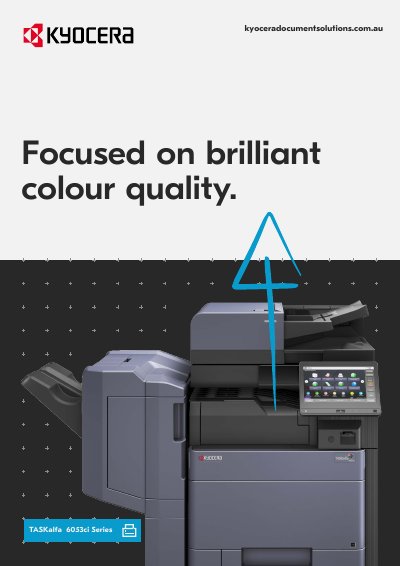
The Kyocera TASKalfa 6053ci series is designed for high-quality color printing with a resolution of up to 1,200 x 1,200 dpi. It supports mobile printing via Mopria, AirPrint, NFC, and Wi-Fi Direct, and includes security features like HyPAS™ and data encryption. The series offers high-speed printing (up to 55 ppm color) and energy-efficient operation with long-life components.
The device includes customizable interfaces, optional card authentication, and a range of paper-handling options including up to 7,150 sheets of paper capacity. It supports various paper sizes from A6 to SRA3 and offers finishing options like stapling and booklet folding for high-volume jobs.
| Print Speed | Up to 55 ppm color, 60 ppm black and white |
|---|---|
| Print Resolution | Up to 1,200 x 1,200 dpi |
| Memory | 4GB RAM / 8GB SSD + 320GB HDD |
| Warm Up Time | 17 seconds or less |
| Weight | 95 kg |
| Paper Capacity | Up to 7,150 sheets |
| Mobile Printing | Mopria, AirPrint, NFC, Wi-Fi Direct |
It prints up to 55 pages per minute in color and 60 pages per minute in black and white.
The device supports Mopria, AirPrint, NFC, and Wi-Fi Direct for mobile printing.
The warm-up time is 17 seconds or less.
The paper capacity can be increased up to 7,150 sheets with additional trays.