
User's manual for K7TA, K7TA-H and K7TA266 motherboards covering features, specifications, hardware setup, BIOS settings and driver installation.
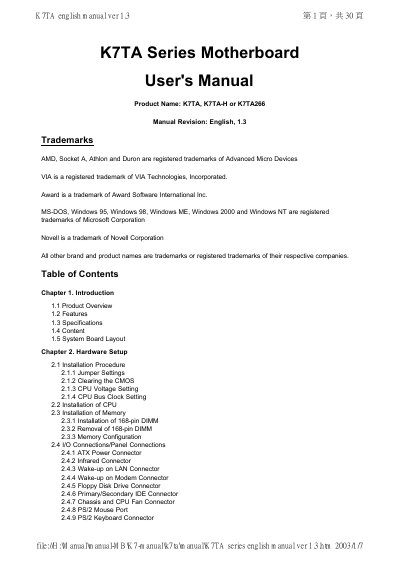
K7TA Series Motherboard User's Manual (English, revision 1.3) covers the K7TA, K7TA-H and K7TA266 boards. It introduces the product, lists features and specifications, describes the board layout, and explains hardware setup, BIOS setup and driver installation.
Ordering information in the manual distinguishes the three boards by chipset, FSB support and Ultra DMA support. The document also gives jumper settings, memory installation, I/O and panel connections, CMOS setup screens and Windows driver installation steps.
| CPU | AMD Socket A (Socket 462), Athlon and Duron; 200MHz FSB, with 266MHz FSB on K7TA266 |
|---|---|
| Chipset | VIA VT8363 & VT82C686A for K7TA; VT8363 & VT82C686B for K7TA-H; VT8363A & VT82C686B for K7TA266 |
| Memory | 3.3V PC100/133 SDRAM in 3 168-pin DIMM banks; up to 1.5GB system memory |
| IDE | Dual channel PIO and PCI Bus Master IDE; up to 4 EIDE devices; Ultra DMA 33/66, plus Ultra DMA 100 on K7TA-H and K7TA266 |
| BIOS | 2Mbits Award BIOS V.6.00PGN with built-in Anti-Virus |
| Expansion slots | Five 32-bit PCI, one 16-bit ISA, one 32-bit AGP and one AMR slot |
| USB ports | Four USB ports |
| Audio | AC '97 Rev 2.1 compliant, 18-bit stereo full-duplex codec |
| Dimensions | 305 mm x 190 mm ATX form factor |
The boards support AMD Socket A (Socket 462) Athlon and Duron processors with a 200MHz front side bus; K7TA266 also supports 266MHz FSB processors.
Up to 1.5GB of system memory using 3.3V PC100/133 SDRAM in three 168-pin DIMM banks.
Turn off power and remove the ATX cable, move the yellow JRTC jumper from 2-3 to 1-2, then return it to 2-3 and reconnect power.
One motherboard, one IDE ribbon cable, one floppy ribbon cable, one CD driver disk and a user's manual.