
Quick installation guide for the Jinko Solar JKS-WIFI-BI datalogger, covering app download, installation, registration, network setup, LED status and…
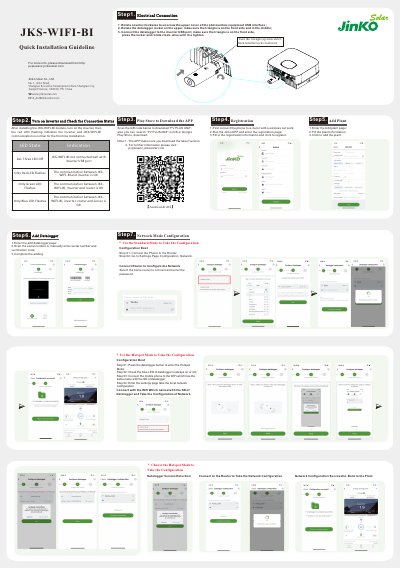
This document is a quick installation guideline for the Jinko Solar JKS-WIFI-BI datalogger used with PV PLUS ANZ. It describes downloading the PV PLUS ANZ app, installing the datalogger on the inverter USB port, registering and adding a plant, and configuring the network in standard or hotspot mode.
It also explains LED status indications, button operations, troubleshooting for connection problems, and frequently asked questions such as resetting the datalogger and supported router characters.
| Supported WiFi band | 2.4 GHz only |
|---|---|
| Router name and password characters | Numbers, letters, and English punctuation only |
| Firewall ports | 5279 and 5280 |
Press and hold the KEY button for more than 6 seconds until 3 lights are constant on, then release it.
Only numbers, letters, and English punctuation are supported, and spaces are not allowed.
It supports only the 2.4 GHz band, not 5 GHz.
Reset the datalogger and reconfigure the network.