
User manual for the IVISIONS IV-IVIEXTIR-RC Infrared Connection Set used to control iViCONNECT projection screens and projector lifts.
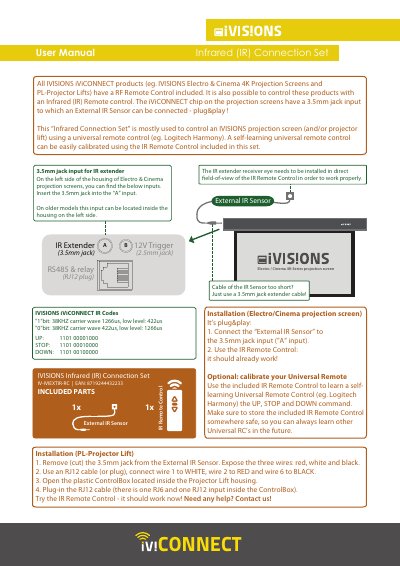
The IVISIONS IV-IVIEXTIR-RC Infrared (IR) Connection Set allows users to control iViCONNECT products, such as Electro and Cinema 4K projection screens and PL-Projector Lifts, using an infrared remote control. It is primarily used to enable control via universal remotes like Logitech Harmony through a self-learning calibration process.
The set includes an external IR sensor and an IR remote control. It features a plug-and-play design for projection screens via a 3.5mm jack input and provides specific wiring instructions for integration with PL-Projector Lifts.
| EAN | 8719244432233 |
|---|---|
| Carrier Wave | 38KHZ |
Connect the External IR Sensor to the 3.5mm jack input (labeled as "A" input) on the left side of the housing.
You can use a 3.5mm jack extender cable.
Yes, a self-learning universal remote (e.g., Logitech Harmony) can be calibrated using the included IR Remote Control.