
Operation guide for upgrading inverter firmware over Wi-Fi using the i.Solar app, including setup, login, and update recovery.
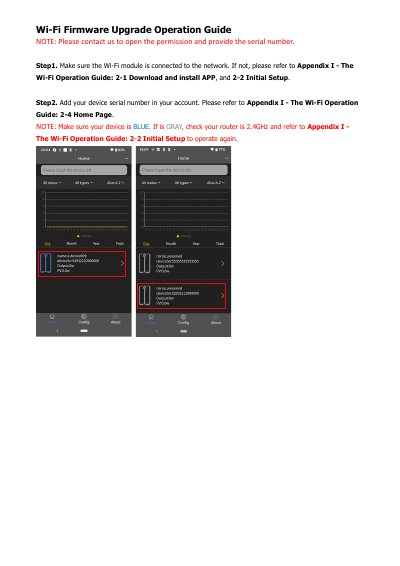
This guide describes the steps to upgrade an inverter's firmware over Wi-Fi, including connecting the module, adding the device serial number, generating a password, and selecting DSP or REMOTE_BOX updates. It also notes LCD and app status behavior during updates and recovery after a failed update.
Appendix I covers the i.Solar app, including download, initial Wi-Fi setup, login, home page, real-time data, parameters, control, firmware upgrade, logs, and configuration. It states the default Wi-Fi module password and 2.4 GHz router requirement.
| Default Wi-Fi module password | 12345678 |
|---|---|
| Wi-Fi module SSID prefix | FC41D_ |
| Supported router frequency | 2.4GHz |
The default password for the Wi-Fi module is 12345678.
The Wi-Fi module can only connect to a router at 2.4GHz.
Restart the inverter; it will automatically continue updating until the update is successful.
The guide uses the i.Solar app.