
Step-by-step guide to configure IBM Cognos Analytics to connect to Oracle Autonomous Data Warehouse using JDBC drivers and wallet setup.
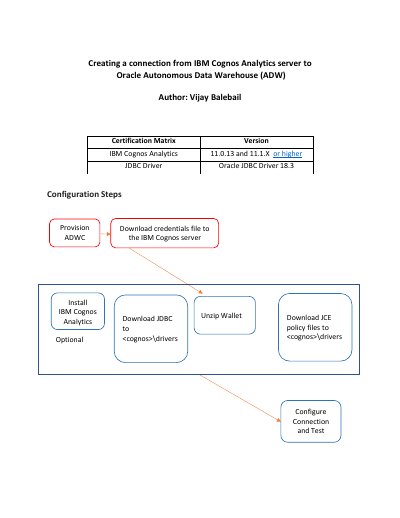
This guide details how to configure IBM Cognos Analytics to connect to Oracle Autonomous Data Warehouse (ADW). It covers installing the Oracle JDBC Driver 18.3, setting up the wallet, and configuring the connection via JDBC Thin URI using TNSnames.ora.
The steps include downloading required JAR files, placing them in the Cognos drivers folder, installing JCE policy files in the JRE security directory, and testing the connection after configuration.
Oracle recommends using the latest Oracle JDBC Driver version 18c (18.3 or higher).
The JAR files should be placed into the Drivers Folder of each Cognos Analytics server installation, typically
IBM Cognos Analytics needs JCE unrestricted policy files installed, specifically local_policy.jar and ux_export_policy.jar.