
Huawei SUN2000 12K/15K/17K/20K/25K-MB0 inverter quick guide covering installation requirements, safety precautions, and PE, DC, and AC cable connections.
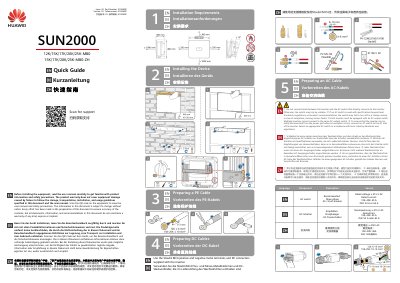
This quick guide provides installation requirements and safety precautions for the Huawei SUN2000 12K/15K/17K/20K/25K-MB0 inverter before equipment installation. It covers preparing PE, DC, and AC cables, installing the device, and making electrical connections.
Users should read the user manual carefully and scan the QR code on the equipment for support. The document notes that the warranty does not cover equipment damage caused by failure to follow storage, transportation, installation, and usage guidelines. This manual is written in Chinese.
| AC switch type | three-phase AC circuit breaker |
|---|---|
| AC switch rated voltage | ≥ 415 V AC |
| AC switch rated current 12K–20K | 40 A |
| AC switch rated current 25K | 50 A or 63 A |
No. Loads must not be connected between the inverter and the AC switch that directly connects to the inverter.
No. Each inverter must be equipped with an AC output switch, and multiple inverters cannot connect to the same AC output switch.
The recommended rated current is 50 A or 63 A for 25K models.
Users can scan the QR code on the equipment to view the user manual and safety precautions.