
User manual for HR400-IND infrared sensor, covering installation, LED indicators, technical specs, and dip switch settings.
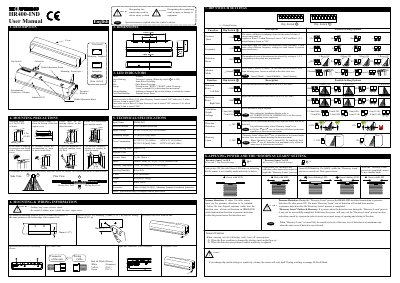
This manual provides installation instructions and operational guidance for the HR400-IND infrared sensor. It details LED indicator meanings, mounting precautions, wiring, and dip switch configurations for adjusting detection rows and sensitivity. Technical specifications include operating voltage, temperature range, and output characteristics. Safety warnings are included for proper installation and handling. This manual is written in Chinese.
| Model Name | HR400-IND |
|---|---|
| Supply Voltage | AC/DC 12 to 24 [V] ±10% 50/60Hz |
| Power Consumption | AC12V-2.5 [VA] (Max), AC24V-2.5 [VA] (Max), DC12V-140 [mA] (Max), DC24V-65 [mA] (Max) |
| IP Rate | IP54 (With Base) |
The solid green LED indicates the sensor is in standby mode and ready to detect.
It takes 10 seconds after power-on for presence detection to be initiated.
The sensor will reset itself, and an orange LED will blink during resetting.
It allows the first row of detection to be focused inside the door close area without detecting door movement.