
HP Pavilion Desktop PC s3000 Quick Start Guide

HP Pavilion Desktop PC s3000 Quick Start Guide explaining how to connect peripherals and turn on the computer.
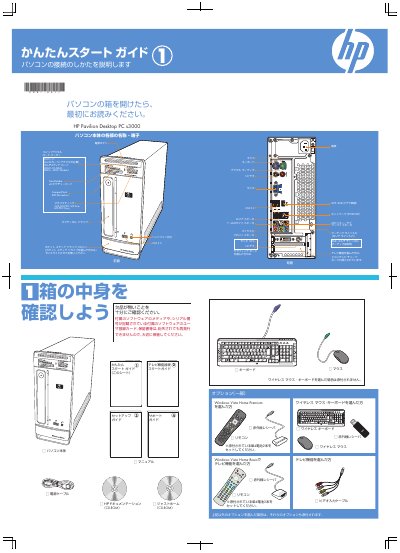

HP Pavilion Desktop PC s3000 Quick Start Guide - cover page
Brand
HP
Category
Desktops
Document type
Quick Start Guide
Language
Japanese
Pages
2
File format
PDF
File size
2.1 MB
Published
23 November, 2026
Updated
23 November, 2026
Model
s3000
MD5 checksum
0C9DB8C7549359F0BA37D0B0BFB4B131

About this manual

This is the simple start guide for the HP Pavilion Desktop PC s3000. It explains what to check after opening the box and how to connect the computer.

It covers connecting wired or wireless mice and keyboards, the power cable, LAN and monitor cables, and turning on the power. Options noted include Windows Vista Home Premium, Windows Vista Home Basic, the TV function, and the infrared receiver. This manual is written in Japanese.

What's inside

  • Simple Start Guide
  • Connecting the computer
  • Checking included items
  • Easy TV function connection
  • Connecting peripherals
  • Turning on the power
  • Setup Guide
  • Support Guide

Frequently asked questions

What should you do if the power outlet has no ground terminal?

Consult a nearby electronics store.

What should I check after opening the box?

Check that no items are missing.

How do I turn on the computer?

Press the monitor power button, then press the PC power button.

Download PDF (2.1 MB)

More HP Manuals


View all HP manuals →