
Instructions for printing multiple pages per sheet on HP LaserJet P1000 and P1500 Series printers using the Finishing tab in the printer driver.
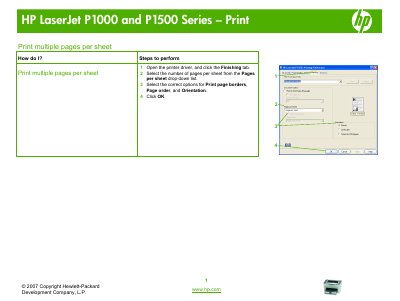
This document explains how to print multiple pages per sheet on HP LaserJet P1000 and P1500 Series printers. It covers opening the printer driver, selecting pages per sheet, and setting page borders, page order, and orientation before clicking OK.
Open the printer driver, and click the Finishing tab.
Select the number of pages per sheet from the Pages per sheet drop-down list.
Select the correct options for Print page borders, Page order, and Orientation.