
This Horizon Your TV Quick Start Guide explains remote control buttons, TV guide navigation, recordings, and WatchTVEverywhere registration.
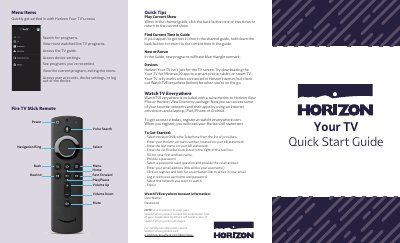
This guide covers the Horizon Your TV remote control and on-screen menu. It lists buttons such as Power, Navigation Ring, Back, Voice Search, Select, Home, Play/Pause, Menu, Fast Forward, Volume Up, Volume Down, and Mute, and explains Quick Tips for returning to the current show or current time in the guide.
It also describes WatchTVEverywhere registration, browsing the TV guide, scheduling and managing recordings, lookback for past programs, quick access items while watching, and setup steps for the YourTV Green app.
Click the back button one or two times while in the channel guide.
Register at watchtveverywhere.com, select Horizon Chillicothe Telephone, and enter your account number, last name, and verification code.
Find the program in the guide, press Select to see details, then navigate to Record options and select Record Episode or Record Series.
Download the app from your device’s app store, enter your 4-digit User ID and account number as the password, then log in.