
Hikvision configuration guide for AI people flow control using people counting cameras and DeepinMind NVR, including setup, data upload, and alarms.
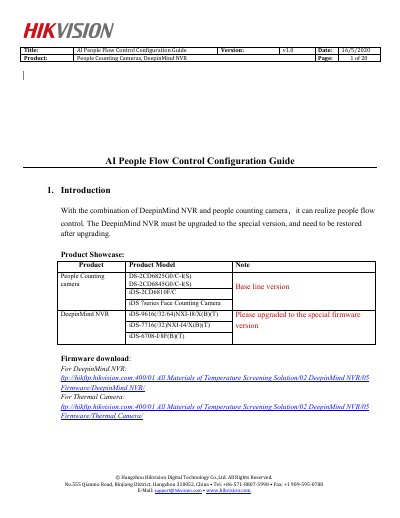
This Hikvision configuration guide explains how to set up AI people flow control using people counting cameras and a DeepinMind NVR. It covers enabling people counting rules, calibrating the lens, drawing detection regions and lines, and configuring reverse counting alarms.
The guide also describes data uploading options, OSD overlay settings, and how to set a people counting limit on the NVR so the live view interface turns red and triggers an alarm when the limit is exceeded.
| Data statistics cycle | 1/5/10/15/20/30/60 minutes optional |
|---|---|
| Report format | excel/csv/txt/xml |
| Counting Type | Adult, Child and All optional |
Supported models include DS-2CD6825G0/C-I(S), DS-2CD6845G0/C-I(S), iDS-2CD6810F/C, and iDS 7series Face Counting Camera.
Supported models include iDS-9616(/32/64)NXI-I8/X(B)(T), iDS-7716(/32)NXI-I4/X(B)(T), and iDS-6708-I/8F(B)(T).
If more than one camera is selected in a camera group, the people counting limit is the sum of all selected cameras.
The interface turns red and triggers an alarm.